The Workday Got Shorter. So Why Does Your Head Feel Fuller?
The Workday Got Shorter. So Why Does Your Head Feel Fuller? On Monday, an operations lead automates her weekly report, cutting the process from three hours to twenty minutes. By Friday, her team has added two more...
On Monday, an operations lead automates her weekly report, cutting the process from three hours to twenty minutes. By Friday, her team has added two more reports and a midweek check-in. The work is moving faster, yet she feels less able to think.
This is the AI productivity trap: a faster task becomes permission to make the whole day denser. AI does not clear your head when every saved hour is immediately refilled with more work; real relief comes from treating attention, context, and recovery as part of the system, not as spare capacity to be consumed.
The manual report was never the only thing taking up room in that operator’s mind. There was the underlying question of which numbers actually mattered, the sales lead’s outstanding concern about a key account, the reason last week’s forecast changed, and the quiet worry that a tidy summary might conceal a messy operational reality. AI shortened the physical production of the report. It did not settle, or even address, any of those deeper cognitive questions.
For a busy team, this distinction is easy to miss. A task has a duration you can measure on a calendar. Thinking about the task — before, during, and after you execute it — is mostly invisible. So a company celebrates the hour it can count and spends the attention it cannot.
The Mirage of the Saved Hour
Imagine the reporting shortcut working exactly as intended. The operator no longer gathers numbers from several browser tabs or spends Monday morning formatting slides. Her manager is pleased. At the next planning meeting, someone reasonably asks whether the team could also get a Wednesday update. Another colleague would like a version broken down by customer type. Both requests sound small because the original report now takes so little time to generate.
But each new version needs a purpose, an owner, and an interpretation. If the Wednesday numbers look different from Monday’s, somebody must explain why. If two teams use the same chart to make different decisions, somebody must notice the discrepancy. The operator has traded one long, contained task for several shorter, unpredictable ones that can arrive at any time.
Consider David, a product marketing manager at a scaling software company. David uses AI to draft ad copy variants in five minutes instead of two hours. Because drafting is now nearly instant, the product team requests thirty variations instead of three. Suddenly, David is drowning in review cycles, legal approvals, localization checks, and Slack threads about which version should go live. The “saved” time was immediately consumed by the complexity of managing the increased volume.
This is how a shorter workday becomes a fuller head without the workday actually ending earlier. The hour saved by automation does not become an hour of breathing room by default. It goes wherever the team’s habits send it. Often, it goes straight into the next request.
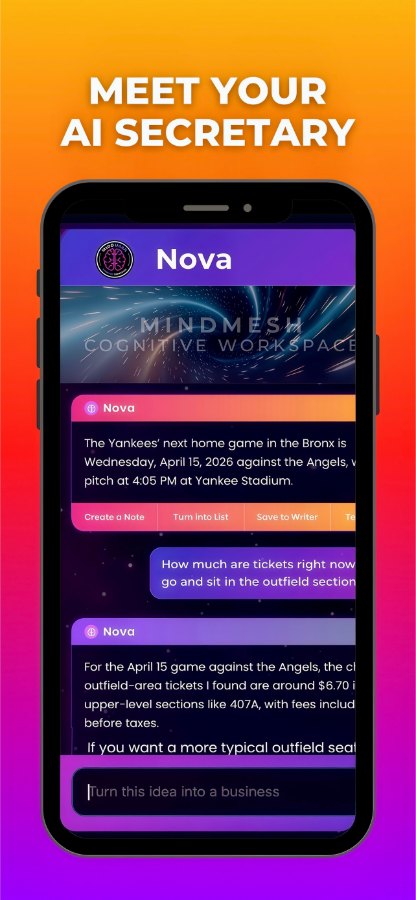
To prevent this, teams need shared systems that hold context instead of simply accelerating output. MindMesh fits into that gap as a cognitive workspace: a place to capture priorities, decisions, and working context so people are not forced to reconstruct the same situation from memory every time the next message arrives.
Startup teams are particularly vulnerable to this trap. They have real, urgent reasons to move quickly: a customer is waiting, a launch is close, a small group is covering several jobs. Nobody needs to be a villain for the workload to expand. “Could we also?” is practically a language of care in a growing company. People ask because they want to help.
Still, every new request occupies space. A leader who wants the benefit of faster tools has to decide what the saved time is for. Is it for a better conversation about the numbers? For finishing a piece of work without interruption? For going home with enough energy to be present there? If the answer is never spoken, the calendar will answer instead.
The Digital Exhaust of Instant Communication
The same pattern appears in everyday communication. An engineering manager uses AI to turn meeting notes into a crisp summary, then sends action items to five people. The summary is useful. Soon, however, her inbox holds a question from sales, a correction from finance, and a message asking whether the agreed deadline still stands.
None of those messages is unreasonable. The problem is the rate at which they require the manager to reconstruct the meeting. What did “ready” mean when everyone discussed the launch? Was the finance number provisional? Did the customer request come before or after the deadline was set?
Writing and sending an update can take seconds. Regaining the context to answer it well may take much longer. While that happens, the work the manager meant to finish sits open in another window. By the end of the day, she has responded to plenty of people and advanced little that feels complete.
That is workplace mental clutter in its most ordinary form. It is not simply too many messages. It is too many partially held situations, each asking you to remember what happened, why it matters, and what you promised to do next. A quiet inbox would help, but silence alone would not restore the missing context.
The answer is not to make everyone wait for every question. Teams need quick communication. They also need somewhere reliable for decisions to live after the conversation moves on. A useful summary should not create five new memory burdens. It should make the next action easier because the decision, the owner, and the reason are clear.
This is where workflow design matters more than tool enthusiasm. The question is not, “Can AI produce this faster?” The better question is, “What happens to the person who has to interpret, route, approve, remember, and live with what this tool produces?” The MindMesh Resources collection is useful here because it keeps the focus on workflows and working memory, not just individual productivity tricks.
Attention Is Not Spare Capacity
Most teams plan around visible capacity. They look at how many hours people have, what is due, and what can be automated. They rarely plan for the concentration needed to make sound judgments across all those commitments.
Yet attention is not an optional extra after the “real” work gets done. It is how a person notices that two priorities conflict, catches an assumption in a report, or listens closely enough to understand what a colleague is actually asking. Context matters for the same reason: without it, a team can move quickly in the wrong direction. Recovery matters because tired people still make decisions; they just make them with less room to consider the consequences.
None of this means every saved hour must be protected from new work. Sometimes the right choice is to take on the next urgent task. The choice becomes dangerous when it is automatic. A team that fills every opening will eventually have no space for work that does not arrive with a notification: thinking through a difficult trade-off, preparing a good question, or noticing that a process no longer makes sense.
Consider that operations lead again. The automated report creates an hour on Monday morning. One option is to divide it among extra outputs. Another is to keep thirty minutes for checking the unusual numbers and writing a short explanation of what the team should do with them. The second option may produce fewer artifacts, but it can make the original report far more useful.
The difference is not a matter of personal discipline. The operator cannot protect that time alone if everyone else treats an open calendar slot as an invitation. The manager has to recognize interpretation as work, not as a pleasant bonus available only when nothing else comes up. A founder has to be willing to ask whether the team needs another update — or a decision based on the updates it already has.
The Tyranny of “Could We Also?”
In high-growth environments, the ease of creation often masks the cost of coordination. When generative tools make it simple to spin up a new landing page, draft an alternative project plan, or generate a dozen design variations, we treat these actions as free. They are not. Every asset created must be reviewed, approved, updated, and eventually retired.
A software team feels this quickly. An AI coding assistant helps engineers move faster. Code appears in minutes. But the bottleneck was never only typing. It was reviewing the work, testing it against the system, understanding edge cases, and deciding whether the change belonged in the product at all.
Now the team has more pull requests, more branches, more dependencies, and more conversations about what should ship. The technical lead spends her day jumping between code reviews, roadmap questions, customer escalations, and release concerns. The “saved” coding hours have become a tax on her attention.
This is the hidden cost of frictionless production. When you lower the barrier to starting new work, you can accidentally increase the amount of unfinished work everywhere. The human brain does not scale like cloud infrastructure. You cannot simply spin up another server to handle the extra cognitive load.
The same thing happens outside software. A founder asks for “just a quick investor update” now that AI can summarize metrics. A marketing leader asks for “just a few more campaign angles” because the drafts are easy to generate. A school administrator asks a teacher for “just one more version” of a parent communication because the writing tool makes it look simple.
Each request may be small. Together, they create a workday full of tiny obligations that never quite resolve. People are busy, responsive, and technically productive, but their minds feel crowded because the system keeps adding open loops.
The Invisible Labor of Interpretation
AI can generate a chart, but it cannot decide what the chart means for the company’s strategy. It can summarize a meeting, but it cannot fully understand which hesitation in the room mattered most. It can draft options, but it cannot absorb the social cost of making the wrong choice.
The human still has to do the heavy lifting of interpretation.
If we fill the time saved on generation with more generation, we leave no time for judgment. We create more things to look at, more artifacts to compare, more questions to answer, and more decisions to defer. Eventually the team is surrounded by outputs and starved for clarity.
This is why some of the most valuable work looks inefficient from the outside. A founder staring at a customer churn pattern for forty minutes may be doing more important work than a founder who sends ten fast replies. A lawyer reading the same paragraph three times may be protecting a client from a mistake that a summary would miss. A teacher pausing before changing a lesson plan may be noticing something about the class that no dashboard can see.
Modern teams have to defend this kind of thinking because it rarely announces itself as productivity. It does not always produce an immediate artifact. It may look like a walk, a quiet hour, a slower meeting, or a shorter task list. But without it, faster tools simply help people make faster shallow decisions.
Designing a System for Cognitive Recovery
High-performing teams do not break the cycle by banning AI or reverting to slower manual processes. They design intentional boundaries into their workflows so speed does not consume all available attention.
Start with attention budgets. Before launching a new initiative, ask not only, “Do we have the hours?” but also, “Do we have the focus?” A team might technically have time to add another dashboard, campaign, or customer segment. That does not mean it has the cognitive room to use those things well.
Then add intentional friction. Not every message should produce an instant response. Not every AI-generated draft deserves review. Not every new version should exist. A team can decide that non-urgent messages wait until a specific time of day, that meetings end with written decisions, or that no new recurring report gets created unless an old one is retired.
Finally, shift from output-first to outcome-first planning. The question is not how many reports, summaries, campaigns, or drafts the team produced. The question is whether those outputs helped people make better decisions with less confusion. If a tool increases volume but reduces clarity, the system is not improving. It is just accelerating noise.
A construction project manager named Marcus offers a useful example. He oversees three active jobsites and uses automated daily logs to save hours of manual documentation each week. His firm could treat those hours as proof that he can take on more sites. Instead, it protects a late-afternoon review block where Marcus checks safety issues, supply delays, weather risks, and sequencing for the next day.
That hour does not look dramatic. It prevents problems that are much more expensive than the time it takes. It gives Marcus room to think before the next morning starts moving. The automation helps, but the recovery block is what turns the saved time into better work.
The Thursday Reset
Weekly planning is where these choices become visible. In the crowded version, the team opens a task board, scans unread messages, carries forward everything unfinished, and adds the new requests that arrived overnight. People leave with assignments, but not always with a shared understanding of what can wait. The plan looks comprehensive because it contains so much. By Wednesday, it is hard to tell which commitments still matter.
A healthier version includes a reset. The team asks: What did automation make faster this week? What did that speed create downstream? Which new outputs actually helped? Which ones created more review, more confusion, or more context switching? What should be removed before anything else is added?
This conversation can feel uncomfortable because it challenges a deeply held workplace reflex: if we can do more, we should. But mature teams understand that capacity is not only time. It is attention, trust, context, energy, and the ability to recover enough to make good decisions tomorrow.
AI can make the workday shorter on paper. It can remove manual steps, draft faster, summarize faster, and route information faster. Those are real gains. But a gain is not the same as relief. Relief only appears when the system protects some of the space that speed creates.
The goal is not to work slowly. The goal is to stop confusing faster output with a clearer mind.
A shorter task does not automatically create a lighter life; only a wiser system can decide that saved time should become space to think.