AI memory is having a moment.
OpenAI talks more openly about memory. Google keeps pushing deeper into agentic workflows across Workspace and NotebookLM. Notion keeps moving toward a world where your documents, tasks, and AI layer aren’t separate experiences anymore. Across the industry, the promise is getting louder: your tools will remember more, do more, carry more forward.
That sounds good until you sit down on a Tuesday morning, open your AI tool, and realize something uncomfortable.
It remembers that you like concise writing. It remembers your preferred tone. It might even remember that you’re a founder, or that you’re planning a trip next month.
And yet it still has no idea where your actual work stands.
It doesn’t remember why you changed direction on the product launch. It doesn’t remember which customer interview shifted your messaging. It doesn’t remember that the “final draft” in one app is already outdated because a decision in a meeting changed the brief two days later. It doesn’t remember which open loops are still live and which ones quietly died.
That’s the real problem.
The next phase of AI isn’t just about whether a tool can remember *you*. It’s about whether it can remember the *work*.
And those are not the same thing.
The memory gap nobody means when they say “AI memory”
When most people hear “memory in AI tools,” they think of personalization.
The system remembers things like:
- your name
- your tone
- your preferences
- recurring instructions
- maybe facts you’ve mentioned before
That kind of memory is useful. Nobody wants to re-teach an assistant their writing style every time they open a window. Personalization removes friction. It can make a tool feel warmer, smoother, more familiar.
But personalization memory is not work memory.
Work memory is something else entirely. It’s the continuity layer behind execution. It’s what allows a system to understand:
- what project you’re actually in
- what has already been decided
- what sources matter
- what tasks are still open
- what drafts connect to which conversations
- what changed since the last time you touched the work
This is where a lot of today’s AI products still break down.
They can remember facts *about you* while losing the thread *of what you’re building*.
That’s why so many people still feel mentally overloaded even while using “smart” tools. The memory sounds impressive in product demos, but in everyday life, you’re still reconstructing context from scratch.
A familiar scene: the AI remembers your voice, not your momentum
Here’s what this looks like in real life.
Say you’re a founder in the middle of a launch.
Last week, you had:
- customer call notes in one place
- messaging ideas in another
- a rough launch plan in a doc
- a task list somewhere else
- AI chats helping you draft copy
- voice memos you captured while walking
- a few key decisions buried in Slack or email
Now it’s Monday again. You finally have two quiet hours to work.
You open your AI assistant and ask for help with the launch email.
It does what it can. It writes in your style. It follows your tone. It may even remember that you prefer sharper headlines and shorter paragraphs.
But it doesn’t know that on Friday you changed the target audience. It doesn’t know that a customer call made you kill one positioning angle. It doesn’t know that the call-to-action changed because pricing isn’t finalized. It doesn’t know the product draft it’s using is based on old assumptions.
So you start explaining.
Again.
Not because the model is dumb. Not because the tool failed at language. But because the thing you needed preserved wasn’t your personality. It was your project state.
That distinction matters more than most AI companies admit.
The market is moving from chat memory toward work memory
To be fair, the broader market is inching in the right direction.
The major labs and workspace companies clearly understand that the future isn’t endless blank chat windows. They’re all trying, in different ways, to make AI more durable, more aware, more embedded in ongoing work.
That’s a meaningful shift.
The conversation is evolving from:
- “Can AI answer questions?”
- to “Can AI remember prior interactions?”
- to “Can AI actually carry work forward over time?”
That last question is the important one.
Because useful work does not live in one prompt. It lives across a chain of things:
- notes
- drafts
- meetings
- tasks
- research
- emails
- documents
- decisions
- revisions
- interruptions
Real work is messy. It unfolds over days, weeks, and months. It changes shape while you’re in the middle of it. It depends on context that rarely lives in one clean place.
So when a tool offers memory, the real question isn’t just *does it remember?*
It’s *what exactly is it remembering?*
Three kinds of memory people keep blending together
This is where the conversation gets muddy. “AI memory” gets used as one big umbrella term, but there are really at least three different layers people care about.
1. Personalization memory This remembers the person.
It stores preferences, communication style, personal details, recurring instructions, and profile-like information.
Example: “Keep my writing direct.” “I prefer bullet points over long paragraphs.” “I’m running a SaaS business.”
Helpful? Yes. Sufficient for serious execution? No.
2. Conversation memory This remembers the thread.
It tracks what was said in the current exchange, and maybe some nearby related exchanges, so the chat doesn’t feel stateless.
Example: You ask follow-up questions in the same conversation and the system understands what “that idea” refers to.
Also useful. But still limited. Conversation memory often helps inside one thread while the actual project remains scattered outside it.
3. Work memory This remembers the project.
This is the layer most people actually need.
Work memory means the system understands the living context around what you’re doing. It can connect the customer call to the strategy note, the strategy note to the draft, the draft to the task list, the task list to the follow-up meeting, and the follow-up meeting to the revised plan.
This is the difference between “an assistant with memory” and “a cognitive workspace that can support real continuity.”
MindMesh sits in that third category. And that’s why it matters.
MindMesh is built for the memory your work actually needs
A lot of tools are trying to become smarter overlays on top of fragmented systems. MindMesh takes a different position: your thoughts, decisions, tasks, notes, chats, and active projects should live in one connected cognitive workspace in the first place.
That’s a different philosophy.
MindMesh is built around the idea that your thoughts deserve a better home. Not a prettier inbox. Not a smarter note field. A real home. A place big enough to hold the moving parts of your work and life without making you constantly reassemble yourself.
Inside MindMesh, the goal isn’t just storage. It’s continuity.
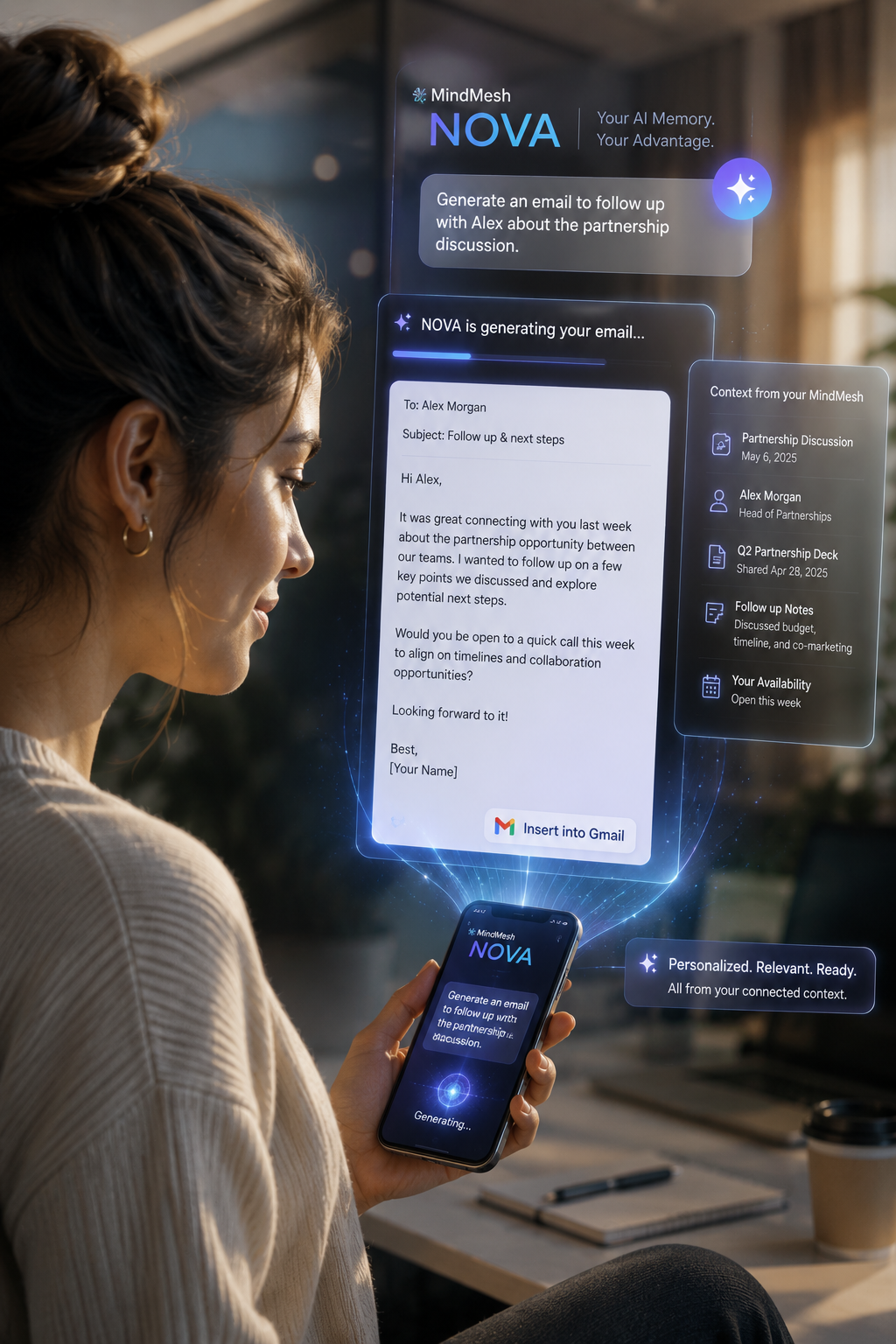
That means you can capture scattered notes, tasks, chats, documents, and ideas as they happen, then rely on Nova to retrieve the right context later based on meaning, project relevance, and connected history.
You don’t have to remember which folder held the note. You don’t have to remember the exact phrase you used three weeks ago. You don’t have to rebuild your setup every time you come back to a project.
The system is designed to carry the thread.
And if you’ve ever lost an afternoon trying to remember why you made a decision you *know* you made, you already understand why that matters.
What work memory feels like in practice
The easiest way to understand work memory is to stop thinking about features and start thinking about resuming.
Can you resume your work without reconstructing your world first?
That’s the test.
Example 1: the founder relaunching a product page
A founder is revisiting the homepage before a launch.
Over the past month, they’ve collected:
- positioning ideas from customer interviews
- objections from sales calls
- a draft headline in a quick note
- a revised value prop from an AI chat
- a task list for launch week
- a meeting note where the team decided to deprioritize one persona
In a normal setup, these are scattered across six places. When it’s time to write, the founder either hunts manually or starts from a half-remembered version of events.
In MindMesh, that founder can ask Nova something simple:
“What did we decide about the homepage messaging for the launch?”
Instead of returning one isolated note, Nova can surface the relevant meeting decision, the linked customer insights, the most recent messaging draft, and nearby project context. That’s not trivia recall. That’s work continuity.
Example 2: the operator trying to pick up a project after a chaotic week
An operator manages internal planning, vendor coordination, hiring logistics, and client follow-ups.
They’ve had a week full of interruptions. Now it’s Friday, and they need to restart a paused initiative without missing anything.
Normally, this means checking: - notes app - calendar - task manager - chat threads - email - maybe one AI chat they used for brainstorming
That process is exhausting because the work exists as fragments.
In MindMesh, captures from across those moments live in one cognitive workspace. Nova can retrieve prior decisions, surface unresolved tasks, and connect context across modules. The operator isn’t piecing together a crime scene. They’re resuming a living project.
Example 3: the creator turning research into output
A creator spends days collecting ideas: - screenshots - rough hooks - article research - half-written observations - AI-generated variations - voice notes captured while out walking
The hard part isn’t generating more text. The hard part is preserving the chain of thought long enough to turn it into coherent output.
With work memory, the creator can return later and ask: “Pull together everything related to the piece about AI memory and continuity.”
Now the relevant fragments come back as a connected working set, not as random leftovers. That changes the emotional experience of creative work. You stop feeling like your best ideas are leaking out of your life.
Why this matters more than better AI answers
A lot of people assume the future of AI at work is mostly about better generation.
Better writing. Better summaries. Better agents. Better automation.
Those things matter. But for busy people, better output is often not the deepest problem.
The deeper problem is that work has no central home.
Your ideas are in one place. Your chats are in another. Your tasks are somewhere else. Your decisions are buried in tools that were never designed to think together.
So even if the model gets better, *you* still feel fragmented.
That’s why so many professionals have this low-grade background fatigue now. Not burnout in the dramatic sense. More like cognitive drag. Too many open tabs in your mind. Too many half-resolved loops. Too many moments of “I know I already figured this out somewhere.”
That’s not just a tooling issue. It affects confidence.
When your systems don’t carry context forward, every restart makes you feel less certain. You hesitate more. You duplicate effort. You lose momentum. You stop trusting that your work has a memory.
And if your work has no memory, it has no real continuity.
The future category battle is not note-taking. It’s continuity.
For years, software categories trained us to think in separate boxes:
- notes app
- task app
- document app
- calendar app
- AI app
- email app
But human thinking doesn’t work in separate boxes.
A note from three months ago can suddenly matter today. A task only makes sense in the context of a decision. A meeting is only useful if it changes the project. An AI chat is only valuable if its output survives the session.
That’s why the cognitive workspace category matters. It’s not just a prettier version of personal knowledge management. It’s an attempt to match how real work actually behaves: interconnected, evolving, interrupt-driven, and deeply contextual.
MindMesh is part of that larger shift.
Not because it adds AI onto storage, but because it treats memory as infrastructure for your life and work. Capture first. Connect later. Retrieve naturally. Resume without starting over.
That’s a very different promise from “our assistant remembers your preferences.”
What to look for if you care about real AI memory
If you’re evaluating AI tools right now, this is the question to ask:
Does this tool remember me, or does it remember my work?
Those sound similar. They aren’t.
Look for whether the system can:
- connect chats to ongoing projects
- retrieve prior decisions, not just prior messages
- surface relevant notes without exact search terms
- preserve continuity across meetings, drafts, and tasks
- help you resume work without rebuilding the entire setup
- act like a workspace, not just a conversation thread
If it can’t do that, then the memory may feel nice, but it won’t remove the heaviest form of mental load.
Because the hardest part of modern work is not having ideas. It’s keeping those ideas connected long enough to matter.
Your work deserves more than a chat history
This is the quiet truth underneath all of this: most people are not looking for a more charming AI.
They’re looking for relief.
Relief from scattered thoughts. Relief from mental overload. Relief from the feeling that their work is spread across too many apps with no center of gravity. Relief from starting over every time they sit down to think.
That’s the real opportunity in this market.
Not memory as novelty. Memory as continuity. Memory as a better home for the work that makes up a life.
That’s the lane MindMesh is building in, and it’s why the distinction matters so much right now. The industry is finally waking up to memory. Good. But the next question is the one that counts:
Will AI remember facts about you?
Or will it finally help carry the weight of your work?
If you’ve been feeling the strain of scattered context, that’s the question worth following.
You can explore more stories like this in [MindMesh Magazine](https://resources.mindmeshapp.com/magazine), or see how the cognitive workspace works at [MindMesh](https://mindmeshapp.com). If this idea is already uncomfortably familiar, start there. Your thoughts deserve a better home.
Your thoughts deserve a better home.
Turn scattered context into a workspace that helps you think, organize, and move.
Explore AI Models